Two focused tools
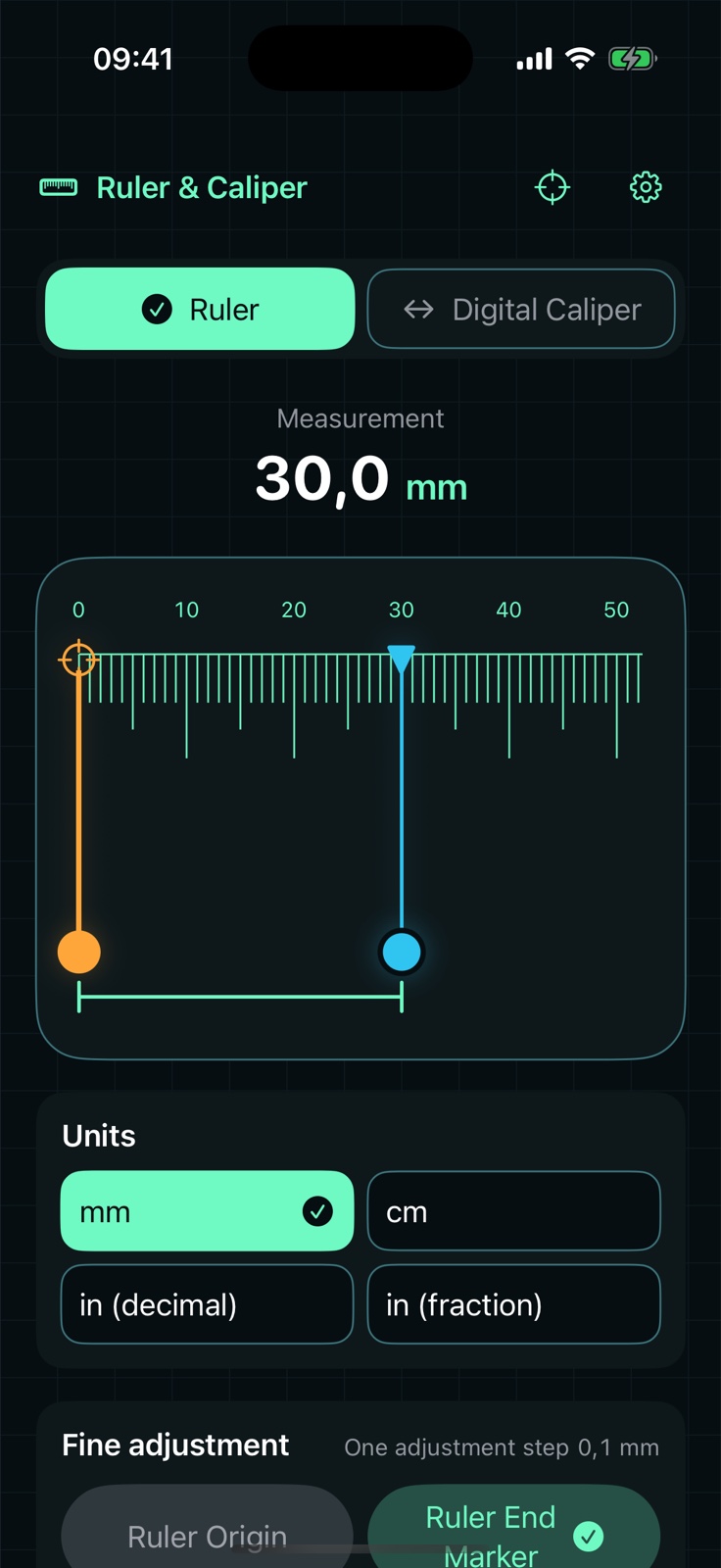
Use a movable ruler origin and end marker, or align two digital-caliper jaws around an object.
 Ruler & CaliperApp Store
Calibrated on-screen measurement
Measure small, flat objects in millimeters or inches, and check the screen scale against a known reference. No camera, account, or subscription.
Purpose-built, not overloaded
Everything is shaped around one job: placing a small object on the screen edge and getting a clear, adjustable reading.
Use a movable ruler origin and end marker, or align two digital-caliper jaws around an object.
Switch between millimeters, centimeters, decimal inches, and fractional inches without changing the measured distance.
Follow the scale check shown in your app version. Compare important results with a known physical ruler. No camera is used.
Measurements stay on your iPhone. There is no account, advertising, tracking, or developer measurement server.
The instrument, in your hand
Large controls, clear markers, and a high-contrast readout keep the measurement surface legible while you align an object.
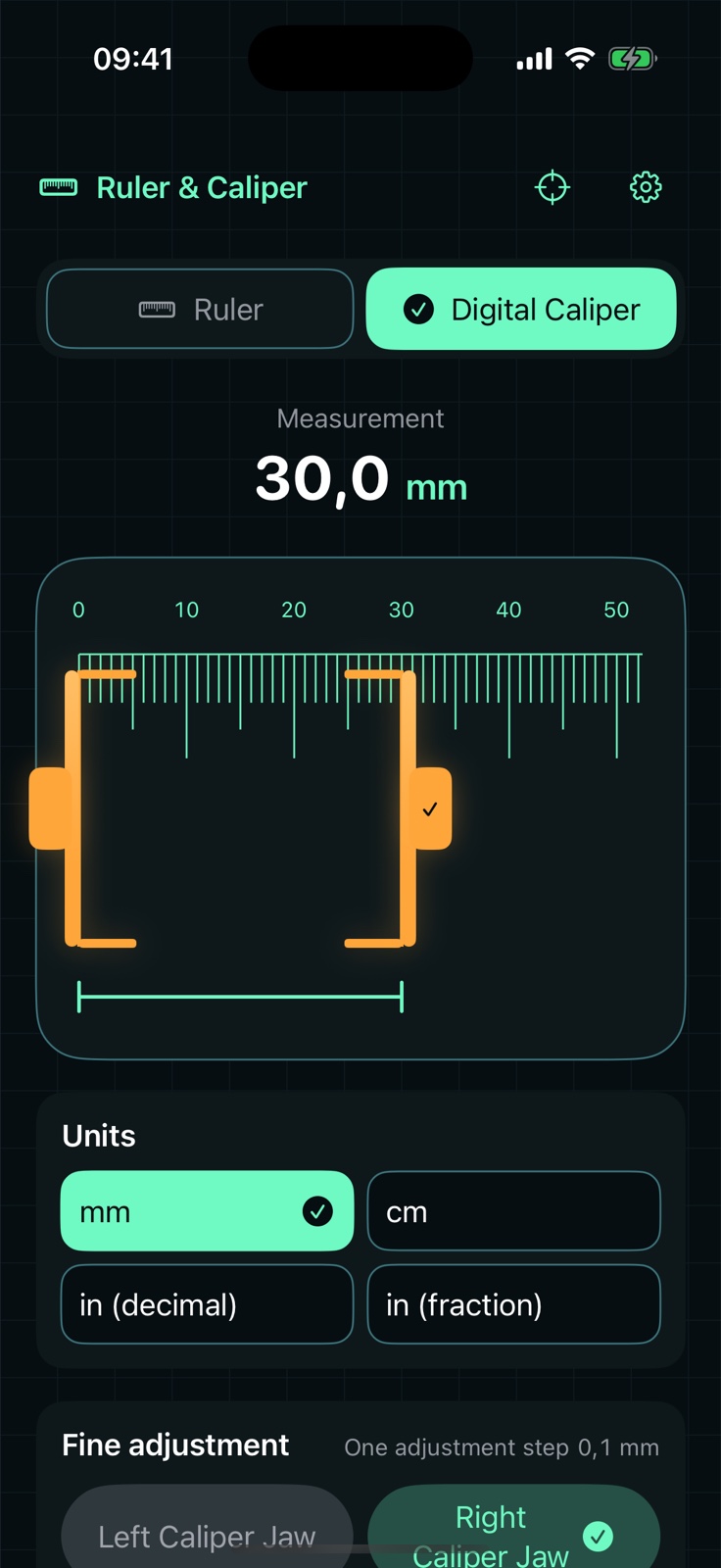
From setup to result
Follow the setup shown in your app version. Verify important measurements with a physical ruler before relying on the result.
Calibrate
Align
Read
One distance, your format
Change how a result is displayed without moving the markers or changing the underlying measurement.
Private by design
Measurement and calibration data are not sent to us. The app has no account, advertising, tracking, camera access, or developer measurement server. Limited privacy-conscious analytics contain product events, never measured values.
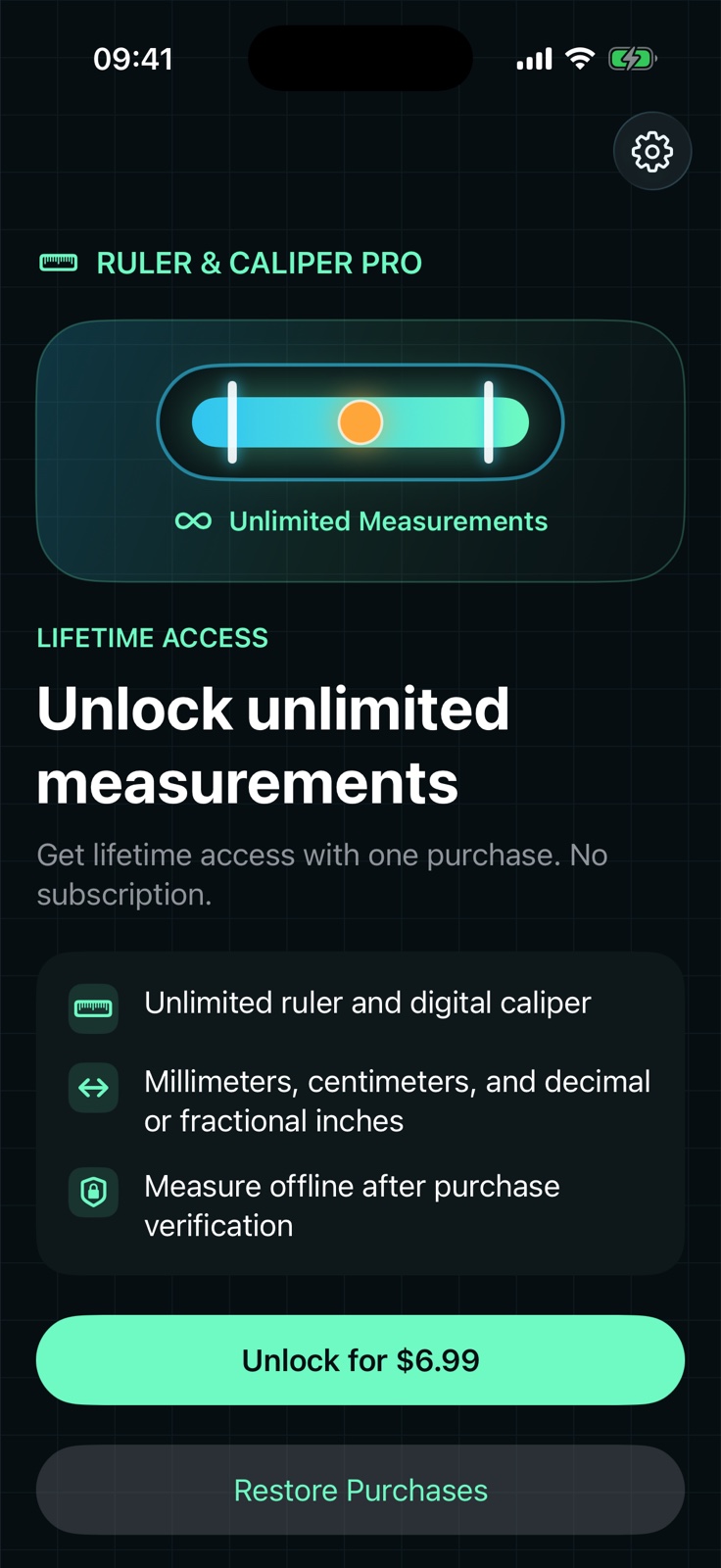
Lifetime access
Unlock unlimited measurements with a one-time in-app purchase. Some new users receive a first measurement at no charge; others see the lifetime offer after the introduction. The app shows your available access and Apple shows the local price before you buy.
Ruler & Caliper is not a certified measuring instrument. Results depend on calibration, alignment, screen configuration, and the object being measured. Verify important measurements with a suitable physical reference.